← All projects

Case study / B2B SaaS

RDash Designing a connected operating system for construction

RDash connects procurement, site execution, finance and analytics in one platform for developers, contractors and design studios. This case study covers the design of its web and mobile product and the design system behind it.

Role
Lead Product Designer
Timeline
April 2022 – present
Industry
Construction technology
Platforms
Web · Mobile
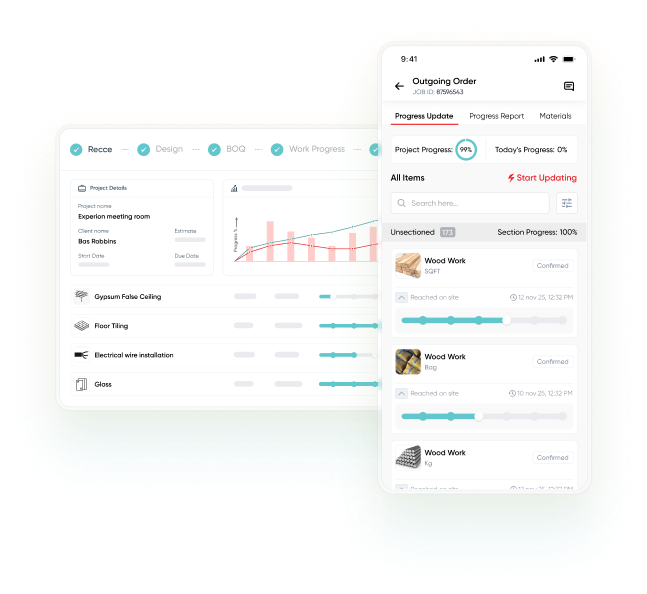
RDash work progress: a desktop project progress list with completion bars beside a mobile outgoing-order screen where items are marked as reached on site

Impact snapshot

  • $0 → $4.3MAnnual recurring revenueCompany growth during the design tenure
  • 7 daysSMB go-liveDown from weeks, after guided onboarding
  • 55%Less BI workloadVia AI Copilot natural-language dashboards
  • 65%Less manual invoice processingVia OCR capture and three-way matching

All figures are self-reported in the portfolio and approximate; they have not been independently verified. Revenue growth describes the company as a whole, not the effect of a single design change.

The challenge

Construction moves as one project. Its tools rarely do.

Teams ran critical work across Excel for bills of quantities, WhatsApp for decisions, separate ERPs for finance and manual reports from site. The same information lived in several places and was typed in again at every step.

The result was no real-time view of progress, budget or procurement, slow decisions with no audit trail, and cost leaking through disconnected billing, payment disputes and manual reconciliation.

Before

  • Excel BOQsNo live pricing, vendor links or version control
  • WhatsApp approvalsDecisions buried in chat, no audit trail
  • Separate finance ERPBilling and payments cut off from site
  • Manual site reportsNo real-time view of progress

With RDash

One project record
  1. Lead and proposal
  2. Recce and design
  3. BOQ and orders
  4. Progress and snags
  5. Invoices and payments
  6. Handover

The product in one view

Eight stages. One record that carries forward.

RDash is organised around the life of a construction project. Each stage hands its data to the next, so nothing has to be entered twice.

  1. Lead

    Enquiries from ads and social in one board.

    Carries forward: client, budget, source
  2. Recce

    Site survey created on web, completed on mobile.

    Carries forward: tagged photos, dimensions
  3. Design

    Versioned drawings with approval status.

    Carries forward: the approved drawing set
  4. BOQ

    Sectioned bill of quantities with live totals.

    Carries forward: scope, line items, pricing
  5. Orders

    Vendor orders, invoices and payments.

    Carries forward: POs, vendor-wise scope
  6. Work progress

    Field updates roll up to the dashboard.

    Carries forward: section progress in ₹
  7. Snags

    Defects with photos and closure dates.

    Carries forward: the resolved snag log
  8. Handover

    A checklist signed off before closing.

    Closes with: warranties, manuals, as-builts

Key workflows

Six workflows, shown in production UI.

Every screen in this section is production UI, not concept work. According to the portfolio, these modules are used daily across more than 768 active projects.

01 / 06 · Lead management

From first enquiry to signed project, without re-entry

Context
Before a project exists there is a lead, and what is captured here is needed at every later stage.
Decision
Enquiries from Google Ads, Meta, Instagram and LinkedIn land in one kanban (New lead → Proposal shared → Won), each card carrying client, budget and source. A quotation builder turns a qualified lead into an itemised proposal, and one click converts an accepted proposal into a live project.
Result
No re-entry and no handoff gap between sales and delivery.
Lead capture form connected to ad and social channels, above inbound and outbound lead kanban boards
Leads from every channel in one board
Lead dashboard with call, quotation and project counts, a donut chart of lead status, and follow-up reminders
Dashboard and follow-ups
Quotation builder with itemised BOQ lines and a generated quotation document
Quotation builder
Lead cards moved from Proposal shared to Won, with a Convert to Project button
Won → Convert to project
02 / 06 · Recce and design

A site survey made on the web and finished on site

Context
Site surveys were coordinated manually over WhatsApp, and drawings travelled as forwarded PDFs that were soon several versions out of date.
Decision
Project managers create a template-driven recce on the web (external and internal environment, signage and facade, layouts and sketches, custom sections) and share it by link. Field engineers complete it on mobile, tagging photos with element names and dimensions, and each section is approved or rejected on the web. Design files are version-controlled with an approval status.
Result
Untracked site data eliminated, and every stakeholder sees the current approved drawing set.Reported
Recce survey with sections for external and internal environment, layouts and sketches, and a form for tagging a space image with element name and dimensions
Recce: tagging site photos with element names and dimensions
First-floor drawing in the Design module with file details and a versioned list of design files and their approval status
Design: versioned drawings with approval status
03 / 06 · Activity schedule

A Gantt that survives contact with reality

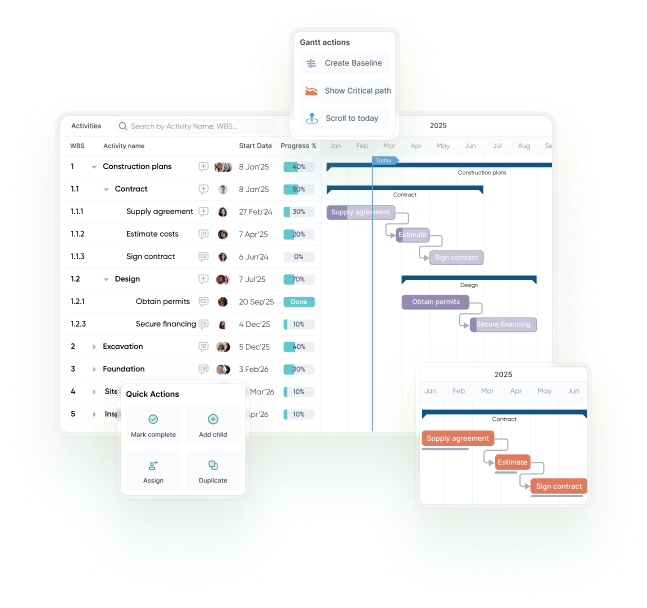
Construction schedules drift as soon as they are made. Because progress is updated from the field, the desktop view reflects what is actually happening on site.

  1. Planned against actualEvery phase, from supply agreement and design to excavation and structure, shows planned and actual timelines.
  2. Critical pathThe chain of work that sets the end date is highlighted.
  3. BaselinesCompare today's schedule with the original plan.
  4. Actions on the rowAssign, create a baseline or scroll to today directly from a Gantt row.

Open the Activity Schedule prototype (95 screens) (opens in a new tab) ↗

Activity schedule Gantt chart with phases and progress percentages, a Gantt actions menu (create baseline, show critical path, scroll to today) and quick actions
The Gantt actions menu opens from the row it applies to.
04 / 06 · Work progress

Desktop command. Mobile execution. Same data.

Desktop project progress list with completion bars next to a mobile outgoing order screen where items are marked as reached on site

Desktop section listOne live progress recordMobile outgoing order

Context
Progress was reported manually from site, so managers had no live view of what was actually done.
Decision
Two views of one record. On desktop, a section list shows completion bars beside rupee values. On mobile, field engineers mark items complete with one tap, which updates the web dashboard in real time. Section progress rolls up into daily and overall summaries, with no sync delay and no re-entry.
Result
63% growth in monthly recurring revenue, attributed to the mobile-first execution redesign, and 95% less field data loss with offline-first sync.Reported
05 / 06 · Snags, tasks and approvals

Every decision stays attached to the work it concerns

Context
Decisions and escalations were buried in WhatsApp threads with no accountability and no audit trail.
Decision
Snags are logged with photo evidence, location, category and a committed closure date, and move from open and unresolved, to resolved, to closed. Everything that needs a decision lands in one Task Manager inbox; approvals carry requester, assignee, due date and the module that raised them; comments on an order stay on that order.
Result
A handover checklist (materials and warranties, O&M manual, as-built drawings, commissioning report) is signed off before a project closes.
Snag list with open and closed items, a snag detail with before and after photos, and a handover checklist
Snag evidence and the handover checklist
Task manager inbox with categories and a task detail showing Mark Done, an approval request, attachments and a comment box
One inbox for every decision
Approval card with Approve, Reject and Remind me later actions above the task manager list
Structured approvals
Project overview with a snag gauge, overall progress chart and section-wise completion in rupees
Section-wise completion in rupees, not just percentages
Outgoing orders list with a comments panel attached to an order, including site photos
Comments stay on the order
06 / 06 · Financial analytics

Cash position, margins and budget burn, live

Context
Profit per project needed a finance team building spreadsheets, and a quarterly Excel reconciliation took two days.
Decision
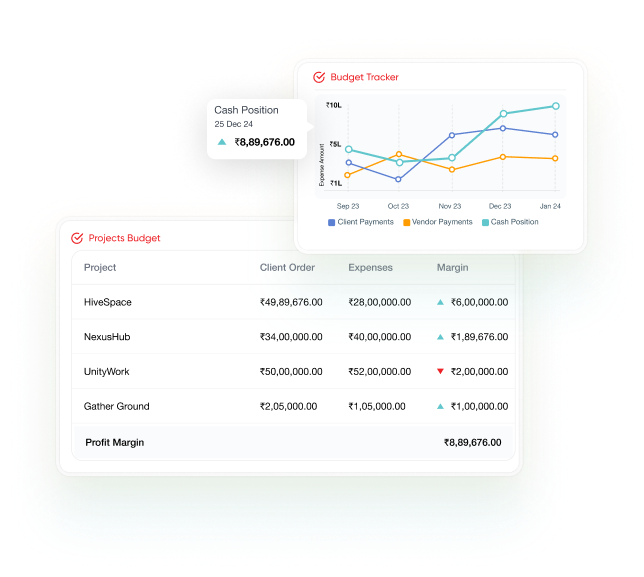
The Budget Tracker puts cash position, client payments and vendor outflow on one chart, updated as invoices are approved and payments recorded. The projects budget table shows client order, expenses and margin for each project. Natural-language queries through the AI Copilot replace the manual reconciliation.
Result
55% less business-intelligence workload.Reported
Budget tracker chart of cash position, client payments and vendor payments above a projects budget table with client order, expenses and margin
Budget tracker and per-project margin. The AI Copilot interface is not shown.

Design decisions

The principles behind every screen

Six decisions shaped the platform, from onboarding to the AI Copilot to offline execution on site.

  1. One record, end to end

    Constraint
    The same information was typed in again at every step of a project.
    Decision
    Keep each record in one place and carry it forward: a lead becomes a project, a proposal an order, an order an invoice and then a payment.
    Implication
    Comments, attachments and approvals belong to the record they concern, not to a separate chat.
  2. Role-based UX

    Constraint
    A site engineer has three tasks and one call to action outdoors; a procurement manager works through 247 active POs; an owner watches KPIs and budget burn.
    Decision
    Tailor views to each stakeholder and surface only what is relevant to that role's daily decisions.
  3. Progressive disclosure

    Constraint
    Construction workflows are complex, and the interface should not amplify that.
    Decision
    A strict information hierarchy with contextual reveal: complexity appears only when a user is ready for it.
  4. Mobile and offline first

    Constraint
    The work happens on site: on phones, outdoors and not always online.
    Decision
    Design every screen for the construction site first, working on mobile and degrading gracefully to full offline use.
    Implication
    Desktop was treated as secondary; field conditions were always the first constraint.
  5. AI-first interaction

    Constraint
    Answers about budgets and margins depended on reports and spreadsheet reconciliation.
    Decision
    Make natural-language queries, predictive suggestions and automated workflows the default rather than an advanced option, with nothing to configure.
  6. A reusable design system

    Constraint
    About two days were lost every release to UI drift, with the same status shown three different ways.
    Decision
    One library engineers import from, one status taxonomy, and density as a component property.
    Implication
    Different densities without forking the codebase.

Design system

Three roles, three densities, one library

The design language system scales from dense desktop tables to one-handed use on site. Production evidence and illustrative examples built for this page are labelled separately.

Typography

One typeface per platform: Gilroy on the web, where dense tables and boards live, and DM Sans in the mobile app for field work.

Production · Web · Gilroy
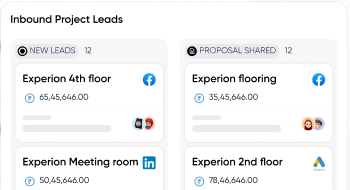
Gilroy in the RDash web app: an Inbound Project Leads board with cards titled Experion 4th floor and Experion flooring, with rupee amounts
Live specimen · Mobile · DM Sans
Start updating
Regular 400Medium 500Bold 700
Aa Bb Cc Dd Ee Ff 0123456789 ₹
Illustrative

Density is a prop, not a screen

A list row takes density: 'comfortable' | 'compact'. The site engineer gets comfortable; the procurement manager gets compact.

  • Wood work
    Reached on site · 12 Nov
    Received
  • Floor tiling
    Due 18 Nov
    Active
  • Electrical wiring
    Awaiting approval
    Pending

Colour: siblings, not inversions

Light and dark schemas share one token graph. The accent swaps; the relationships hold.

Design-system tokens
Light
surface/lowest #FAFAFA
primary #1E3A5F
Primary
Dark
surface/default #0F172A
primary #A8C4E8
Primary
Accents sampled from screenshots · approximate
  • Brand red≈ #EE3E42
  • Teal, progress≈ #61C7CD
  • Slate, mobile buttons≈ #344054
  • Blue, mobile highlights≈ #5D98FF

Status and money as tokens

Five states map to five colour tokens, shared by chips, row highlights and badges. Currency is a typography token, so the same number formats correctly for each surface.

Illustrative · token colours not shown
  • Pending
  • Active
  • Received
  • Closed
  • Error
currency/inr/lakh
₹2.69L KPI tile
currency/inr/full
₹2,69,000 Invoice line
Illustrative diagram

One bottom sheet

Same scrim, radius and handle for item details, vendor picker, date picker and filters: one primitive in three configurations, replacing five slightly different sheets.

Effect on delivery

−75%UI clean-up time per release, from two days to about half a day Reported
  • Engineers import from one library, and the "same status shown three ways" problem is gone from new screens.
  • A new designer or engineer gets up to speed from one system overview instead of a 40-page Notion document.

Outcomes

What changed

The portfolio ties each result to a specific design decision. All figures are self-reported and approximate.

  • 65%Less manual invoice processingAttributed to OCR capture and three-way matching
  • 55%Less BI workloadAttributed to AI Copilot natural-language dashboards
  • 95%Less field data lossAttributed to offline-first sync
  • 63%MRR growthAttributed to the mobile-first execution redesign
  • 7 daysSMB go-live, with 50% less implementation effortDown from weeks, with guided self-service onboarding
  • −75%UI clean-up time per releaseAttributed to the design language system

Company growth over the same period: $0 to $4.3M annual recurring revenue. These figures have not been independently verified.

Company timeline

  1. First line of code
    Team of 5
  2. Gautam joins
     
  3. First client; incubated by Y Combinator
    Team of 15
  4. 10th client
    Team of 20
  5. 100th client
    Team of 45
  6. Launched in the Middle East
     
  7. 300th client
    Team of 65
  8. 1,000th client (target)
    Team of 100+

From RDash's own milestone graphic, where December 2025 is drawn as a target.

Beyond the product

Brand voice, post by post

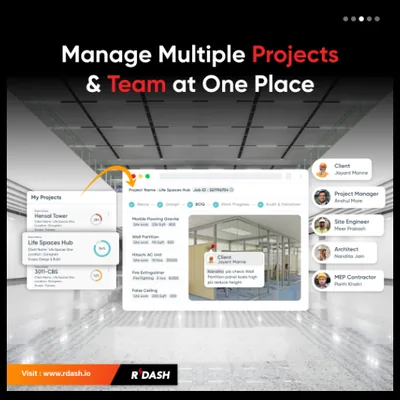
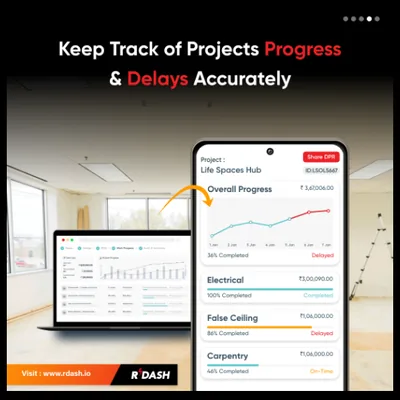
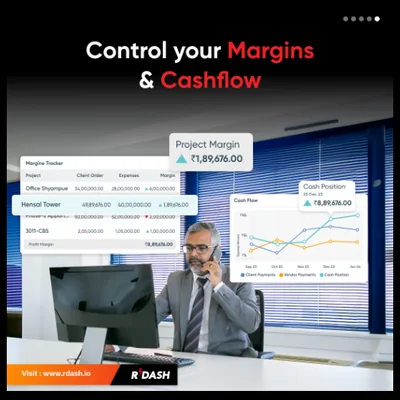
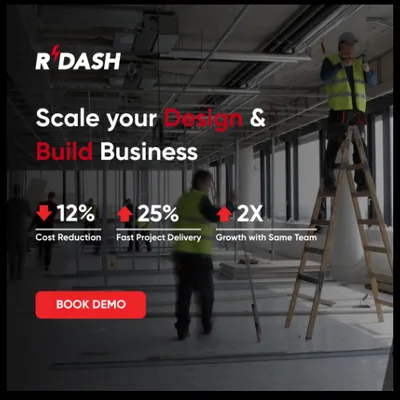
32 social posts for RDash and partner brand 91squarefeet, designed to shorten the distance between awareness and a booked demo.

  • Product education: one post per module, each pairing real UI with one headline about what it replaces.
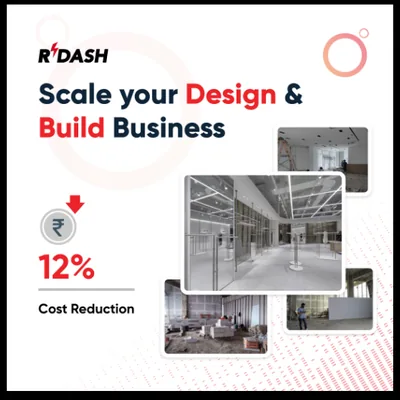
  • Business outcomes: the "Scale your Design & Build Business" campaign for owners and directors.
  • Brand and culture: hiring posts and demo calls to action that showed a growing team.
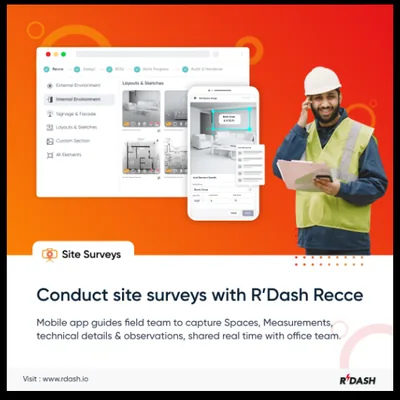
  • Post: Conduct site surveys with R'Dash Recce
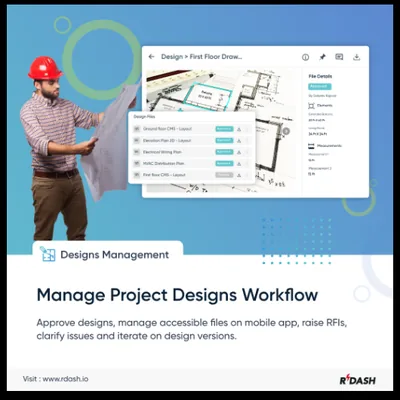
  • Post: Manage project designs workflow
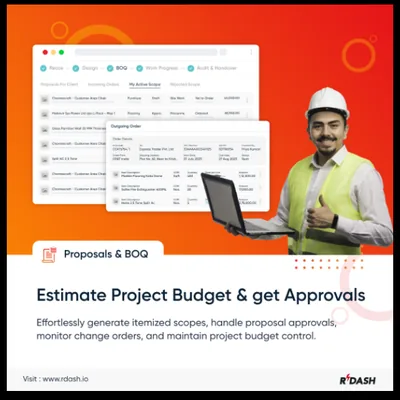
  • Post: Estimate project budget and get approvals
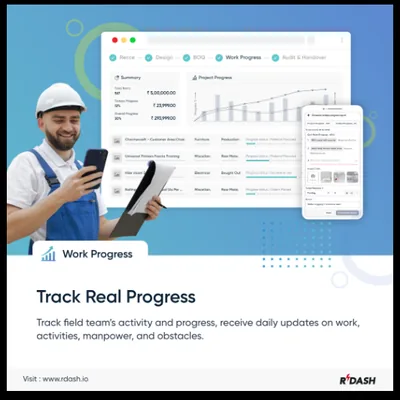
  • Post: Track real progress
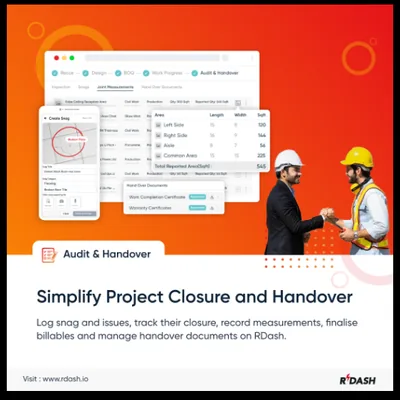
  • Post: Simplify project closure and handover
  • Post: Manage multiple projects and team at one place
  • Post: Keep track of projects progress and delays accurately
  • Post: Control your margins and cashflow
  • Post: Scale your Design and Build Business, with 12% cost reduction, 25% faster projects and 2x growth with the same team
  • Post: Scale your Design and Build Business, 12% cost reduction
  • Post: Scale your Design and Build Business, 2x growth with the same team
  • Post: Scale your Design and Build Business, 25% faster project delivery
  • Post: Supercharge your construction and interior projects, book a demo today
  • Post: Scale your interiors and construction business with R'Dash
  • Hiring post: 91squarefeet is hiring backend developers
  • Hiring post: R'Dash is hiring an Android developer

The campaign figures in these posts are marketing claims, not results measured for this case study.

Live prototype

See it in action

Click through real flows, responsive layouts and the design system in the interactive Adobe XD prototypes.

Notes and references

Metrics are self-reported in Buddhpriya Gautam's portfolio, are given as approximations and have not been independently verified. Confidential product details are omitted.

  1. RDash, rdash.ai. Company website.
  2. RDash web portal prototype, Adobe XD.
  3. Activity Schedule prototype, Adobe XD.
  4. Product design at RDash, in the biography of Buddhpriya Gautam.